Aura# Component <neo-aura> is a decorative light around the element it wraps. It has a ring in its padding with a light that rotates along it, and a blurred glow behind. Wrap one element that has an opaque background, such as a button, input, or card. Custom properties set the look and the motion. The light holds still under reduced motion and becomes a solid Highlight ring in forced-colors mode. The layers live in an open shadow root; style them with ::part().
The preview routes through the in-browser server simulator. Its current Settings (network latency, a non-200 response, or an unreachable server) are in effect. The live preview can look like it is misbehaving. Adjust them in the Settings panel.
Loading...
HTML CSS
The selected state's markup and its scoped CSS. The CSS is wrapped in <style>@scope { ... }</style> and applies to the preview only. Edits change the preview above, applied live while Sync is on, or when you click Patch or Replace. Patch morphs the preview; Replace swaps it outright.
Signals
Datastar signals
<neo-aura data-signals="{aura_disabled: false}" data-attr:disabled="$aura_disabled">
<neo-button variant="primary">Loading...</neo-button>
</neo-aura>
<neo-layout wrap gap="lg" align-items="center">
  <neo-aura>
    <neo-button role="button" tabindex="0">Default</neo-button>
  </neo-aura>
  <neo-aura class="aura-lights-dual">
    <neo-button role="button" tabindex="0">Dual</neo-button>
  </neo-aura>
  <neo-aura class="aura-lights-rainbow">
    <neo-button role="button" tabindex="0">Rainbow</neo-button>
  </neo-aura>
  <neo-aura class="aura-lights-holo">
    <neo-button role="button" tabindex="0">Holo</neo-button>
  </neo-aura>
  <neo-aura class="aura-lights-gold">
    <neo-button role="button" tabindex="0">Gold</neo-button>
  </neo-aura>
  <neo-aura class="aura-lights-silver">
    <neo-button role="button" tabindex="0">Silver</neo-button>
  </neo-aura>
  <neo-aura class="aura-lights-glow">
    <neo-button role="button" tabindex="0">Glow</neo-button>
  </neo-aura>
</neo-layout> .aura-lights-dual {
--neo-aura-gradient: repeating-conic-gradient(transparent 0 40%, var(--neo-aura-color) 50%);
}
.aura-lights-rainbow {
--neo-aura-gradient: conic-gradient(
in oklch longer hue,
transparent 15%,
oklch(0.8 0.15 0) 35%,
oklch(0.8 0.15 360) 80%,
transparent
);
}
/* 8 short bands; the slower spin keeps them from flickering. */
.aura-lights-holo {
--neo-aura-gradient: repeating-conic-gradient(
oklch(0.85 0.13 330),
oklch(0.78 0.11 275),
oklch(0.85 0.1 195),
oklch(0.92 0.1 110),
oklch(0.88 0.08 65),
oklch(0.85 0.13 330) 12.5%
);
--neo-aura-spin-duration: 20s;
}
.aura-lights-gold {
--neo-aura-gradient: repeating-conic-gradient(
oklch(0.67 0.16 75),
oklch(0.95 0.08 100),
oklch(0.72 0.15 82),
oklch(0.95 0.07 100),
oklch(0.62 0.12 76),
oklch(0.67 0.16 75) 50%
);
}
.aura-lights-silver {
--neo-aura-gradient: repeating-conic-gradient(
oklch(0.35 0 0),
oklch(0.92 0 0),
oklch(0.62 0 0),
oklch(0.92 0 0),
oklch(0.5 0 0),
oklch(0.35 0 0) 50%
);
}
/* A still light that pulses. cq units measure the aura's box; the ellipse
passes through its corners. */
.aura-lights-glow {
--neo-aura-gradient: radial-gradient(71cqw 71cqh, var(--neo-aura-color), transparent 90%);
--neo-aura-spin-duration: 0s;
--neo-aura-pulse-duration: 6s;
}
<div class="aura-pricing">
  <neo-card>
    <div data-neo-card-inner>
      <div data-neo-card-header>
        <h3 data-neo-card-title>Starter</h3>
        <p data-neo-card-description>For side projects</p>
      </div>
      <div data-neo-card-body>
        <p class="aura-pricing-price"><strong>$0</strong> per month</p>
        <ul class="aura-pricing-features">
          <li>Up to 3 projects</li>
          <li>Community forum</li>
          <li>7-day history</li>
        </ul>
      </div>
      <div data-neo-card-footer>
        <neo-button role="button" tabindex="0">Start free</neo-button>
      </div>
    </div>
  </neo-card>
  <neo-aura class="aura-pricing-highlight">
    <neo-card>
      <div data-neo-card-inner>
        <div data-neo-card-header>
          <neo-badge variant="primary">Most popular</neo-badge>
          <h3 data-neo-card-title>Team</h3>
          <p data-neo-card-description>For growing teams</p>
        </div>
        <div data-neo-card-body>
          <p class="aura-pricing-price"><strong>$12</strong> per seat, monthly</p>
          <ul class="aura-pricing-features">
            <li>Unlimited projects</li>
            <li>SSO and audit log</li>
            <li>90-day history</li>
          </ul>
        </div>
        <div data-neo-card-footer>
          <neo-button role="button" variant="primary" tabindex="0">Start trial</neo-button>
        </div>
      </div>
    </neo-card>
  </neo-aura>
  <neo-card>
    <div data-neo-card-inner>
      <div data-neo-card-header>
        <h3 data-neo-card-title>Enterprise</h3>
        <p data-neo-card-description>For regulated industries</p>
      </div>
      <div data-neo-card-body>
        <p class="aura-pricing-price"><strong>Custom</strong> annual contract</p>
        <ul class="aura-pricing-features">
          <li>Dedicated support</li>
          <li>Data residency</li>
          <li>Unlimited history</li>
        </ul>
      </div>
      <div data-neo-card-footer>
        <neo-button role="button" tabindex="0">Contact sales</neo-button>
      </div>
    </div>
  </neo-card>
</div> .aura-pricing {
display: grid;
grid-template-columns: repeat(auto-fit, minmax(12rem, 1fr));
gap: 1.5rem;
width: 100%;
}
.aura-pricing-price {
margin: 0;
color: var(--muted);
font-size: 0.875rem;
}
.aura-pricing-price strong {
color: var(--page-fg);
font-size: 1.5rem;
}
.aura-pricing-features {
margin: 0.75rem 0 0;
padding-left: 1.1rem;
line-height: 1.7;
}
.aura-pricing-highlight {
--neo-aura-gradient: conic-gradient(
in oklch longer hue,
transparent 15%,
oklch(0.8 0.15 0) 35%,
oklch(0.8 0.15 360) 80%,
transparent
);
}
<neo-aura class="aura-input">
<neo-input-group>
<neo-icon name="sparkles"></neo-icon>
<neo-textinput
aria-label="Ask the assistant"
placeholder="Summarize this week's incidents"
></neo-textinput>
<neo-button role="button" variant="primary" tabindex="0">Ask</neo-button>
</neo-input-group>
</neo-aura> .aura-input {
--neo-aura-gradient: conic-gradient(
in oklch longer hue,
transparent 15%,
oklch(0.8 0.15 0) 35%,
oklch(0.8 0.15 360) 80%,
transparent
);
width: min(100%, 28rem);
}
<neo-layout wrap gap="lg" align-items="center">
  <neo-aura class="aura-width-none">
    <neo-button role="button" tabindex="0">Glow only</neo-button>
  </neo-aura>
  <neo-aura class="aura-width-thin">
    <neo-button role="button" tabindex="0">1px</neo-button>
  </neo-aura>
  <neo-aura><neo-button role="button" tabindex="0">2px</neo-button></neo-aura>
  <neo-aura class="aura-width-thick">
    <neo-button role="button" tabindex="0">4px</neo-button>
  </neo-aura>
</neo-layout> .aura-width-none {
--neo-aura-width: 0;
}
.aura-width-thin {
--neo-aura-width: 1px;
}
.aura-width-thick {
--neo-aura-width: 4px;
}
<neo-layout wrap gap="lg" align-items="center">
  <neo-aura class="aura-color-live">
    <neo-badge variant="danger">Live</neo-badge>
  </neo-aura>
  <neo-aura class="aura-color-sync">
    <neo-badge variant="primary">Syncing</neo-badge>
  </neo-aura>
</neo-layout> .aura-color-live {
--neo-aura-color: oklch(0.63 0.24 25);
--neo-aura-track-color: oklch(0.63 0.24 25 / 0.25);
}
.aura-color-sync {
--neo-aura-color: oklch(0.65 0.17 150);
--neo-aura-track-color: oklch(0.65 0.17 150 / 0.25);
}
<neo-aura>
  <img
    class="aura-radius-image"
    src="/static/cheshire_cat.webp"
    alt="The Cheshire cat"
  >
</neo-aura> .aura-radius-image {
display: block;
width: 10rem;
aspect-ratio: 1;
object-fit: cover;
}
<neo-layout
wrap
gap="lg"
align-items="center"
data-signals="{aura_lights_on: true}"
>
<neo-aura data-attr:disabled="!$aura_lights_on">
<neo-button role="button" variant="primary" tabindex="0">Publish</neo-button>
</neo-aura>
<label class="aura-disabled-label">
<neo-switch
role="switch"
checked
aria-checked="true"
tabindex="0"
aria-label="Lights on"
data-attr:aria-label="$aura_lights_on ? 'Lights on' : 'Lights off'"
data-on:neo-switch-change="$aura_lights_on = evt.detail.checked"
></neo-switch>
<span data-text="$aura_lights_on ? 'Lights on' : 'Lights off'">Lights on</span>
</label>
</neo-layout> .aura-disabled-label {
display: inline-flex;
align-items: center;
gap: 0.5rem;
}
Reference# # Name Type Default Description disabledbooleanfalseFades the light out and stops its animations. The wrapped element does not move because the aura keeps its padding, and it stays enabled.
# Name Description ::part(ring)The ring in the aura's padding. Masked to the padding, it never shows through the wrapped element. ::part(glow)The 2 blurred layers behind the wrapped element, a tight glow and a wide halo. Hide them for a ring without a glow. ::part(light)The gradient box inside the ring and inside each glow. It carries the rotation.
# Name Default Description --neo-aura-colorvar(--accent, currentColor)Light color, used by the default --neo-aura-gradient. --neo-aura-gradientconic-gradient(transparent 225deg, var(--neo-aura-color))The light. Any CSS image, rotated about the center of the aura. cq units in it measure the aura's box. --neo-aura-width0.125remRing thickness, applied as the aura's padding. 0 leaves only the glow. --neo-aura-radiusmeasuredCorner radius of the wrapped element, 1 value for all corners. Unset, the aura measures each corner of the element's computed border-radius, and measures again when the element changes, resizes, or is replaced. <neo-buttongroup>, <neo-toggle-group>, <neo-select>, <neo-combobox>, and <neo-textinput> draw their rounded box inside, not on the host; for them the aura reads their radius token. Set it to override. --neo-aura-spin-duration6s1 turn of the light. 0s holds it still. --neo-aura-pulse-duration0s1 pulse of the glow. 0s turns the pulse off. --neo-aura-track-colortransparentRing color under the light.
Examples# Lights# Each light is a set of custom properties on a class. Copy one from the CSS tab. --neo-aura-gradient holds the image, which rotates about the center of the aura. The glow recipe stops the rotation and pulses the glow instead.
Default Dual Rainbow Holo Gold Silver Glow
Highlight one option# Marks the recommended option in a set. The aura has no accessible role or name. State the emphasis in text as well, here with the Most popular badge.
$0 per month
Up to 3 projects Community forum 7-day history Start free
Most popular Team For growing teams
$12 per seat, monthly
Unlimited projects SSO and audit log 90-day history Start trial
Enterprise For regulated industries
Custom annual contract
Dedicated support Data residency Unlimited history Contact sales
The ring takes the corner radius of the element it wraps, here <neo-input-group>. The control keeps its own focus ring. Tab to the field to see it.
Ring width# --neo-aura-width sets the ring thickness, which is also the aura's padding. At 0 only the glow remains.
Color and track# --neo-aura-color colors the light; --neo-aura-track-color fills the ring under it.
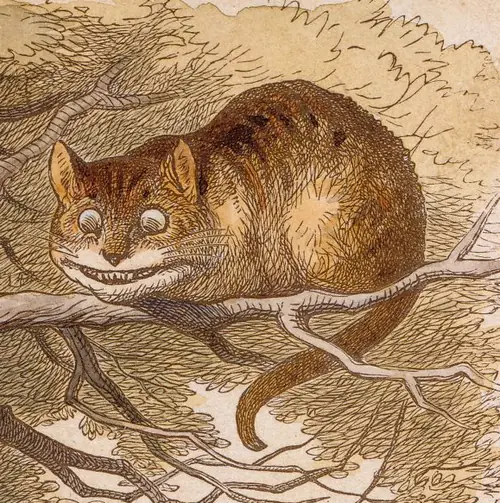
Any element# The aura measures the corners of the element it wraps, kit component or not. The square image here needs no configuration. Set --neo-aura-radius to override the measured value.
Disabled# disabled fades the light out and stops its animations. The wrapped element does not move because the aura keeps its padding, and it stays enabled. Flip the switch to see it.